Why Office Disinfection Matters for Your Workplace Health
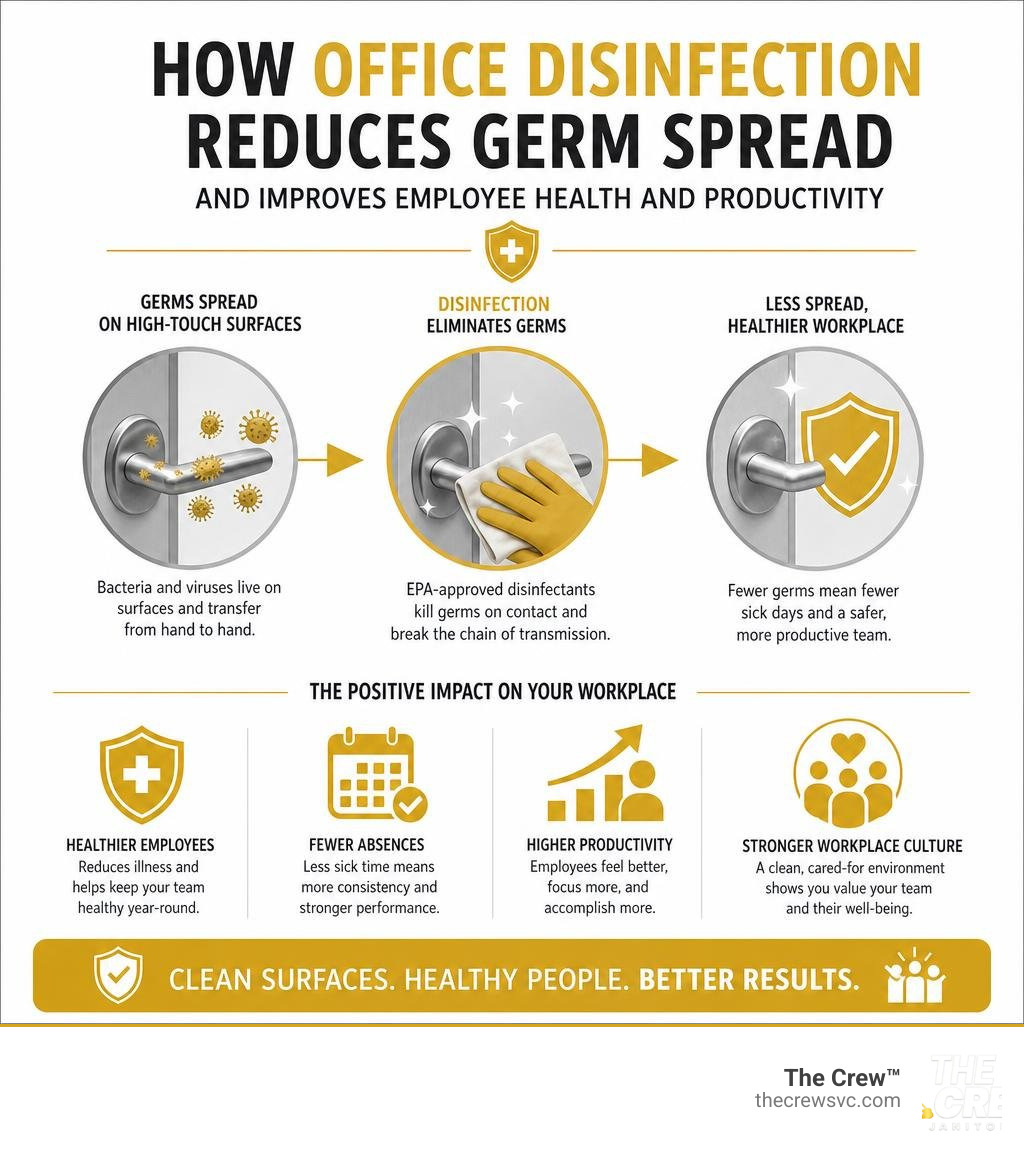
Office disinfection is the process of using EPA-approved chemical agents to kill bacteria, viruses, and other pathogens on workplace surfaces — going beyond basic cleaning to actively eliminate the invisible threats that make employees sick.
Quick answer: What does effective office disinfection involve?
- Clean first — remove visible dirt and grime with soap and water
- Disinfect high-touch surfaces — door handles, keyboards, phones, light switches, elevator buttons
- Use the right product — EPA-registered disinfectants appropriate for each surface type
- Respect dwell time — keep surfaces wet for the full contact time listed on the label (often 1–5 minutes)
- Repeat consistently — daily for high-touch areas, deeper disinfection 2–4 times per year
Here's a number that stops most people cold: the average office desk harbors 400 times more bacteria than a toilet seat. Flu viruses can survive on hard surfaces for 24 to 48 hours. And with influenza alone costing the US economy $17 billion per year, the stakes for keeping a clean workspace are very real.
Yet most offices treat cleaning and disinfection as the same thing. They're not. A quick wipe-down removes dirt — it doesn't kill what's living underneath it.
For busy Denver-area managers and business owners, an inconsistent approach to office disinfection doesn't just put employees at risk. It shows up in missed workdays, lower output, and a workplace culture that quietly signals we don't take care of you here. Research backs this up: 94% of workers report feeling more productive in a clean workspace, and 77% say they produce higher quality work in clean environments.
I'm Carlos Castillo II, owner of The Crew Janitorial, a family-run commercial cleaning company serving the Denver Metro Area since 1982 — and office disinfection has been at the core of what we do for over four decades. In this guide, I'll walk you through exactly how to protect your team, step by step.
Cleaning, Sanitizing, and Office Disinfection: What is the Difference?
To build a healthy workplace, we first need to clear up a major source of confusion. In our industry, we constantly see people use the terms "cleaning," "sanitizing," and "disinfecting" as if they mean the exact same thing. They don't. Using the wrong process for the wrong job is like bringing a paper towel to a battle with a flu virus.
To help your team stay healthy, you must understand how these three protocols work together:
- Cleaning is the physical removal of visible dirt, dust, and organic matter from surfaces. When we vacuum, mop, or wipe down a desk with soap and water, we are cleaning. This process does not necessarily kill germs, but it physically reduces their numbers and removes the grime that acts as a shield for them.
- Sanitizing goes a step further by lowering the number of germs to safe levels, as judged by public health standards. It is highly common in food prep areas. Sanitizing is designed to reduce bacteria, but it is not formulated to kill all viruses or fungi.
- Disinfecting is the big guns. It involves using specialized chemicals—like those on the EPA's List N—to destroy 99.99% of microscopic pathogens, including viruses, bacteria, and fungi, on a cellular level. Disinfection does not necessarily clean a dirty surface, which is why pre-cleaning is so vital.
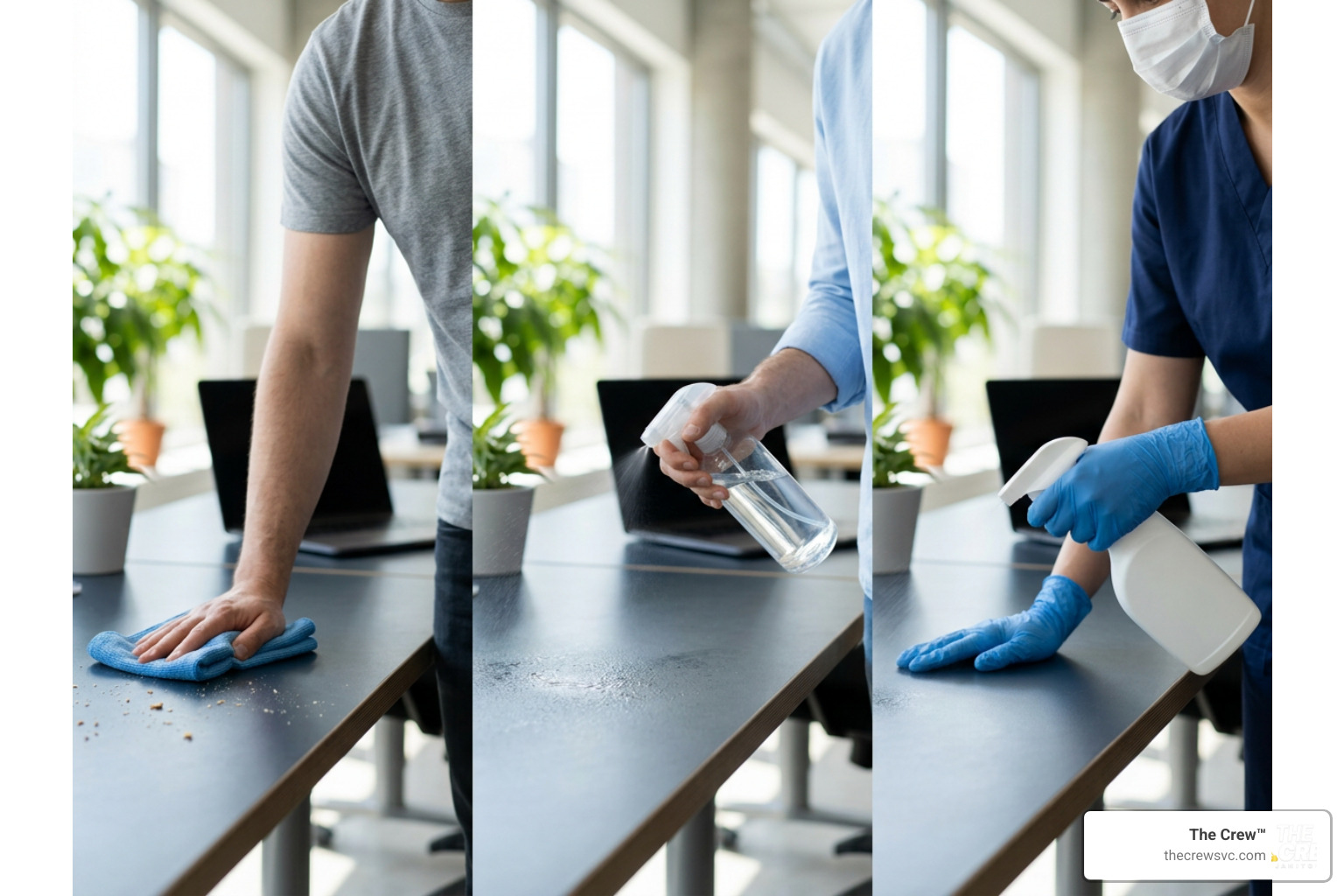
To make this distinction clear, we have broken down the three steps in the table below:
| Feature | Cleaning | Sanitizing | Disinfecting |
|---|---|---|---|
| Primary Goal | Remove visible dirt, dust, and grime | Reduce bacteria to safe public health levels | Kill 99.99% of viruses, bacteria, and fungi |
| Method | Friction, soap, and water | Mild chemical solutions or heat | EPA-registered chemical disinfectants |
| Dwell Time | None (wipe off immediately) | 30 seconds to 2 minutes | 1 to 10 minutes (must stay visibly wet) |
| Best Used For | Floors, windows, dusty shelves | Food contact surfaces, breakroom counters | Doorknobs, keyboards, restrooms, shared desks |
Skipping straight to disinfection without cleaning first is one of the most common mistakes in office hygiene. If a surface is coated in dust or grease, those impurities act as a physical barrier. The disinfectant cannot reach the pathogens hidden underneath.
For a complete look at how to structure these services for your building, check out Everything You Need to Know About Professional Property Cleaning. To ensure your business stays fully compliant with federal safety standards, you can also consult the official “CDC’s Cleaning and Disinfecting Guidance” (2021), downloaded from https://www.cdc.gov/coronavirus/2019-ncov/community/disinfecting-building facility.html on April 27, 2021..
Prioritizing High-Touch Surfaces and Disinfection Frequency
When planning your office disinfection strategy, remember this rule of thumb: square footage does not spread germs; high-touch surfaces do.
You do not need to deep-disinfect your entire office ceiling or every square inch of the warehouse walls daily. Instead, focus your daily resources on "hotspots"—the shared touchpoints that dozens of hands land on every single hour.
During the cold and flu season, the frequency of these touchpoint cleanings must increase. A single cough in a shared breakroom can turn into an office-wide staffing shortage by Friday if these spots are ignored.
To keep your workspace safe across our local service areas—whether you are managing a facility in Aurora, Denver, or surrounding areas—we recommend a structured approach.
Here is how we recommend adjusting your disinfection frequency based on the area of the office:
- Entryways and Lobbies: High-traffic zones. Door handles, push plates, and elevator buttons should be disinfected at least twice daily during peak seasons.
- Restrooms: Restrooms require rigorous daily sanitation. Faucets, flush valves, soap dispensers, and stall latches are primary vectors for disease spread. To master this area, read our guide on How to Master Commercial Restroom Sanitation.
- Breakrooms and Kitchens: Shared coffee pots, microwave handles, refrigerator doors, and water cooler levers are major germ hubs. These should be disinfected midday and at the end of every day.
Daily Office Disinfection Checklist for Shared Spaces
To keep your internal team or your janitorial staff accountable, we recommend using a structured daily checklist. This prevents staff from relying on memory, which often leads to overlooked surfaces like light switches or the communal copier screen.
Make sure your daily routine covers these critical areas:
- [ ] Reception Desk & Entrance: Wipe down reception countertops, guest pens, and main door handles.
- [ ] Light Switches & Thermostats: Disinfect all wall switches in hallways, conference rooms, and private offices.
- [ ] Elevator Buttons & Handrails: Wipe down interior and exterior elevator call buttons.
- [ ] Shared Workstations: Disinfect keyboards, mice, desk phones, and chair armrests between shifts or daily.
- [ ] Breakroom Appliances: Sanitize the coffee maker handle, microwave keypad, refrigerator door, and sink faucets.
- [ ] Restroom Touchpoints: Disinfect toilet flush handles, paper towel dispensers, soap pumps, and door locks.
For a comprehensive guide to organizing these tasks, you can download and print The Essential Denver Business Deep Clean Checklist.
When to Hire Professional Office Disinfection Services
While daily touch-ups can often be managed by staff, there comes a point where relying on in-house cleaning is no longer practical or safe. In fact, while 46.42% of facility managers prefer to keep cleaning in-house, many quickly realize the hidden costs.
When your regular employees handle heavy cleaning, it pulls them away from their primary roles. This creates significant opportunity costs. Furthermore, in-house staff rarely have the training or tools needed to eliminate pathogens safely on a cellular level.
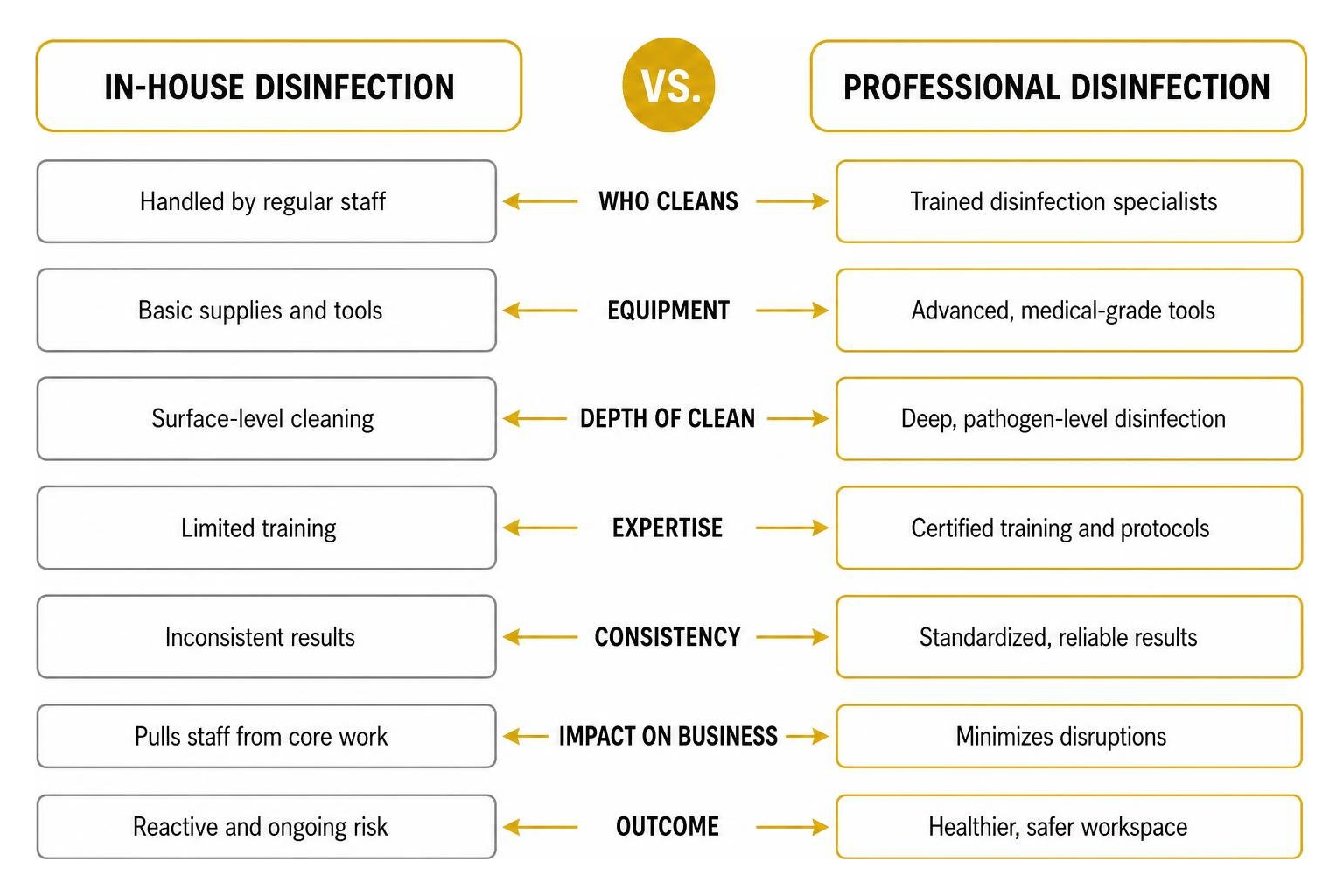
You should consider outsourcing to professional commercial cleaning services when:
- An Active Outbreak Occurs: If an employee tests positive for influenza, norovirus, or another contagious illness, you need a rapid, medical-grade disinfection response within 24 hours to break the cycle of transmission.
- You Need Specialized Equipment: True deep disinfection requires advanced tools like electrostatic sprayers (which charge disinfectant droplets so they wrap around complex, hard-to-reach objects) and HEPA backpack vacuums that capture 99.97% of airborne dust and allergens.
- You Want to Ensure Compliance and Safety: Professional cleaners are trained in OSHA standards, proper personal protective equipment (PPE) usage, and exact chemical dilution ratios.
Outsourcing this work to a dedicated team protects your bottom line by reducing absenteeism and giving your staff "deep-clean confidence." If you are ready to make the switch, learn more about Why Your Business Needs Professional Building Cleaning Services Right Now.
We provide reliable, consistent service across the northern and eastern metro areas, helping businesses maintain high standards in Commerce City, Lakewood, and Brighton.
For businesses further north, we also support operations in Longmont, Westminster, and Henderson.
To keep your office consistently safe without the headache of managing it yourself, explore how to set up a regular schedule with Janitorial Cleaning Services and Why Your Office Needs Them and learn How to Maintain a Consistent and Professional Clean for Your Denver Business.
Step-by-Step Guide to Disinfecting Office Electronics and Workstations
Office electronics—keyboards, mice, desk phones, and touchscreens—are some of the dirtiest items in any building. However, they are also highly sensitive. If you spray liquid disinfectant directly onto a keyboard or tablet, you risk shorting out the circuitry and causing expensive moisture damage.
To protect your technology while completely eliminating germs, follow this step-by-step process:
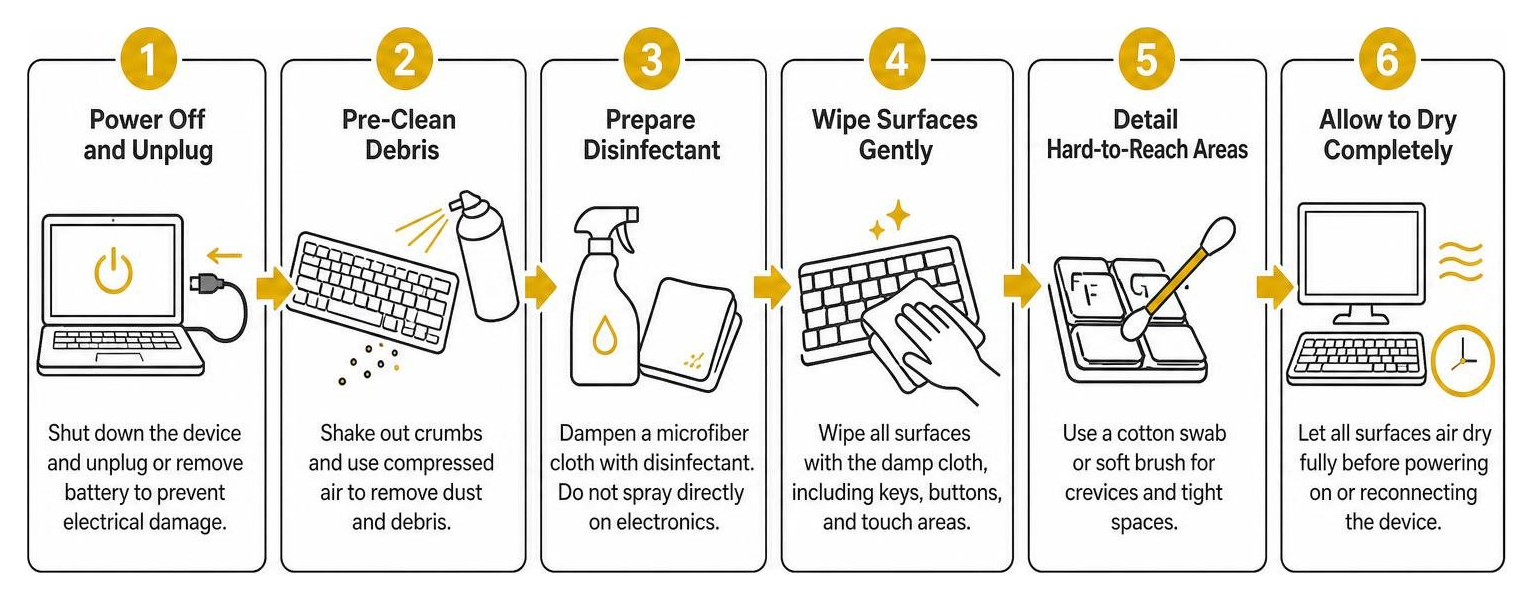
Step 1: Power Off and Unplug the Device
Before any liquid touches the device, shut it down completely. Unplug the keyboard or mouse from the computer, or remove the laptop battery if possible. This eliminates the risk of electrical short-circuits.
Step 2: Pre-Clean to Remove Dust and Debris
Turn the keyboard upside down and gently tap it to shake loose crumbs, dust, and hair. You can also use a can of compressed air to clear out debris wedged between the keys.
Step 3: Wring Out Your Disinfecting Wipe
Take an EPA-registered disinfecting wipe (or a microfiber cloth damp with an approved disinfectant) and squeeze it over a trash can. You want the wipe to be damp, not dripping wet. This is the most critical step to prevent liquid from seeping into the casing seams.
Step 4: Wipe All Surfaces Gently
Carefully wipe down the keys, the mouse body, the phone handset, and all cords. Avoid letting liquid pool in the gaps between keys or around device ports. For specialized guidelines on choosing safe, non-toxic products that won't degrade plastic housings, consult the Green Seal Disinfecting Guidelines.
Step 5: Respect the Wet Contact Time
To actually kill viruses and bacteria, the surface must remain visibly wet for the duration specified on the product label. For many standard wipes, this is up to 4 minutes. Let the device air-dry completely before plugging it back in and powering it up.
For highly shared workspaces, you can also use specialized, non-corrosive, alcohol-free products. You can read more about targeting shared touchpoints safely in this guide on how to Reduce Office Disease Spread with CHEMGENE HLD4H.
For a complete breakdown of workstation and deep-cleaning methods, check out The Ultimate Guide to Deep Cleaning Your Denver Business and The Complete Checklist of Commercial Cleaning Services.
Frequently Asked Questions about Office Hygiene
Why is it important to clean a surface before disinfecting it?
Disinfectants are designed to kill microorganisms, not to cut through grease, dirt, or dust. If a surface is physically dirty, the layer of grime acts as a shield, blocking the chemical from directly contacting and destroying the pathogens. Standard cleaning with soap and water removes this physical barrier, ensuring the disinfectant can do its job effectively.
How long should a disinfectant remain wet on a surface?
This is known as "dwell time" or "contact time," and it is the most critical factor in successful disinfection. Simply spraying a chemical and wiping it off immediately only cleans the surface—it does not disinfect it. Most EPA-registered disinfectants require the surface to remain visibly wet for anywhere from 1 to 10 minutes (often 4 minutes for standard wipes) to fully eliminate target viruses and bacteria. Always check the product label for exact times.
What safety precautions should cleaning staff take when using disinfectants?
Chemical disinfectants can be hazardous if handled incorrectly. Cleaning staff should always wear appropriate personal protective equipment (PPE), such as gloves and eye protection, as outlined in Section 8 of the product's Safety Data Sheet (SDS).
Additionally, ensure adequate ventilation by opening windows or running the building's HVAC system to prevent the buildup of chemical fumes, which can trigger asthma or respiratory irritation. Lastly, never mix different cleaning chemicals together, as this can create toxic gases.
Conclusion
At the end of the day, office disinfection is about much more than just ticking boxes on a housekeeping checklist. It is a fundamental investment in your workplace safety, employee morale, and operational continuity. When your team walks into an office that smells clean, looks spotless, and is regularly sanitized, they feel valued. That peace of mind directly translates to higher productivity and fewer sick days.
At The Crew™, we have spent over 40 years mastering commercial cleaning and janitorial services throughout the Denver Metro Area. We serve local businesses in Aurora, Denver, Commerce City, Lakewood, Brighton, Longmont, Westminster, Henderson, Broomfield, Centennial, Parker, Golden, Englewood, Wheat Ridge, Littleton, Arvada, Erie, and Highlands Ranch.
Our unique strength lies in our staffing model: we hire and retain top, background-checked cleaners and maintain a 0% turnover rate, ensuring you get the same consistent, reliable, and high-quality service every single time we visit.
Ready to protect your team with professional-grade disinfection? Contact us today for a customized quote on our Commercial Cleaning Services, and let us help your business shine.